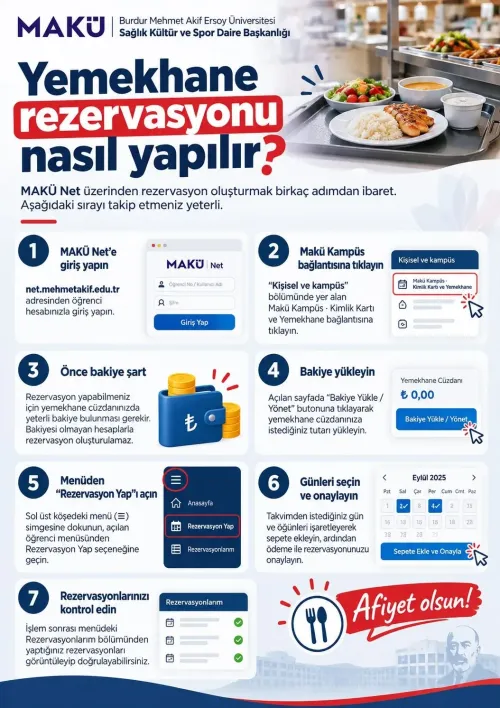

Our step-by-step guide on how to make a cafeteria reservation via MAKÜ Net has been published.
Dear students,
To eat at the university cafeterias, you need to make a reservation in advance via MAKÜ Net. Our step-by-step guide to help you make reservations easily has been published on our website.
Steps in brief:
- Log in with your student account at net.mehmetakif.edu.tr.
- Open "Makü Kampüs: ID Card and Cafeteria".
- Top up your cafeteria wallet (reservations cannot be made without balance).
- Open "Make a Reservation" from the menu, select days and meals and confirm.
- Check under "My Reservations".
For the detailed guide and infographic: Cafeteria Reservation Guide
Weekly menu: Weekly Cafeteria Menu
Enjoy your meal!